

Restaurant table management software used to have a simple job: show the floor, track table status and help hosts seat the next party. Those functions are still essential, but they’re no longer enough to meet evolving diner expectations.
Guests expect restaurants to remember their preferences and recognize their loyalty, even during a packed service. Table management software can help bring that knowledge to the host stand, connecting reservation history, guest preferences and visit data with seating decisions to make on the floor.
We compared six restaurant table management systems on how each runs a live floor, how much guest history it carries and which kind of room it suits. By the end, you'll know which one fits you best.
What to look for in table management software
Table management tools sit on a spectrum. At one end, you can get a digital floor plan to drag tables around on. At the other, a system that scores the seating decision live and hands your host the answer.
Both products get sold under the same category name and that’s how the two end up on the same shortlist. Here are five questions that separate them. Ask them at every demo call:
- Does it optimize table allocation and inventory live, or does it only display the table layout you built?
- Does it connect to a guest CRM and real visit history, or does every visit start from an empty profile?
- Does it run restaurant waitlist management on its own and backfill a table when a booking cancels?
- If you run a POS, does it connect deeply enough that order details and average spend reach the guest profile?
- Does it alert your team as tables check in, cancel or free up, so the host stand and the floor are working from the same room?
The 6 best restaurant table management software
Six products cover most of the US market, and each is built for a different kind of room:
- SevenRooms: a reservations, table management, guest data and marketing platform for hospitality.
- Toast Tables: the floor management product inside the Toast restaurant POS.
- TouchBistro: an iPad POS for full-service restaurants with floor tools built in.
- OpenTable: a table management platform with a large consumer marketplace attached.
- Resy: a table management platform aimed at upscale, booking-led dining rooms.
- Yelp Guest Manager: a front-of-house tool built around the waitlist and the door.
1. SevenRooms, best for guest recognition and retention
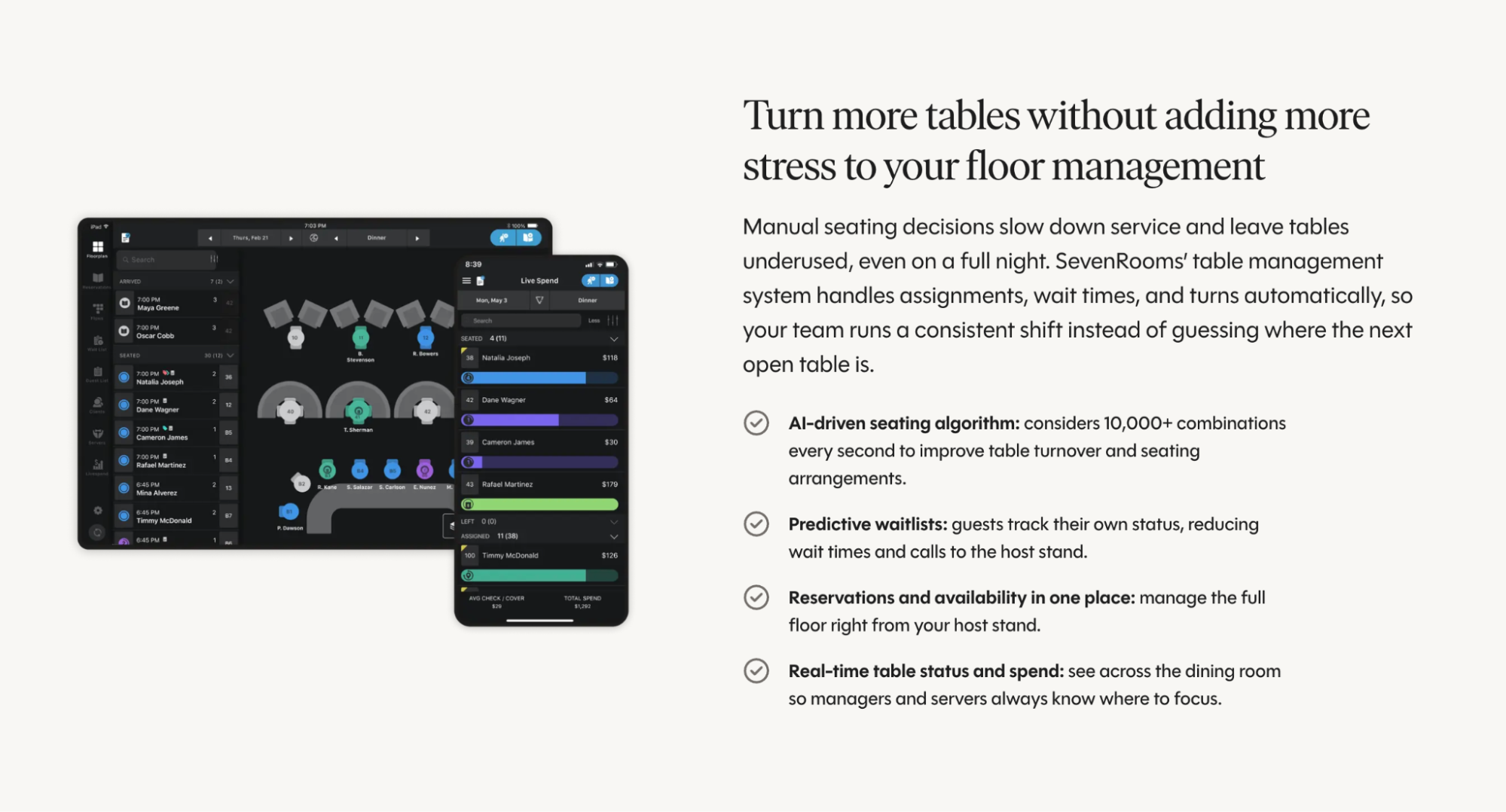
SevenRooms is a reservations, CRM and marketing platform built for hospitality, with table management running inside it. The floor plan and the guest profile sit on the same record, so your host stand reads the same history your marketing team works from.
The seating algorithm is the engine underneath. It weighs party size, table shape, turn time and reservation notes together while your host is still greeting the party in front of them.
Features:
- AI-driven seating algorithm: considers 10,000+ table combinations a second to improve table turnover and seating arrangements.
- Flexible table capacities: the system automatically adjusts party sizes and table configurations based on historical and real-time demand.
- 65+ POS integrations: order details and spend land on a guest profile without anyone typing them in.
- 360° guest profiles: Auto-tags cover allergies, order preferences and reservation notes.
- Predictive waitlists: guests follow their own status from their phone.
- Grid view shift planning:automated pre-shift reports for the team running the room.
- Pre-shift insights: automated reports covering party sizes, open tables and peak hours before doors open to prep your team for service success.
The h.wood Group in Los Angeles runs reservations, walk-ins and waitlists on SevenRooms. "With SevenRooms, everything's in one place now, reservations, walk-ins, waitlists, so our hosts aren't bouncing between screens or scribbling notes," says Larry Poston, Hospitality Director at The h.wood Group. "The pacing tools help us seat smarter, and the communication between the host stand and the floor is way smoother. It's made our nights more efficient, and our team feels more in control."
Pros:
- Seating decisions and guest history sit on one record, so recognition never depends on who happens to be working the door.
- The same profiles feed marketing, which turns a well-run floor into a booking next month.
Cons:
- Table management is part of the entry plan, along with CRM, guest profiles and automated marketing. If you don’t take reservations and are only looking to manage waitlist and floor plan tracking, this option would imply buying more than you need.
Introduce SevenRooms’ AI-assisted seating to your team as the tool that solves the seating puzzle before the rush lands. Matching party size, table shape and turn time across a packed room is arithmetic no host should have to do at speed.
2. Toast Tables, best for restaurants already running Toast POS
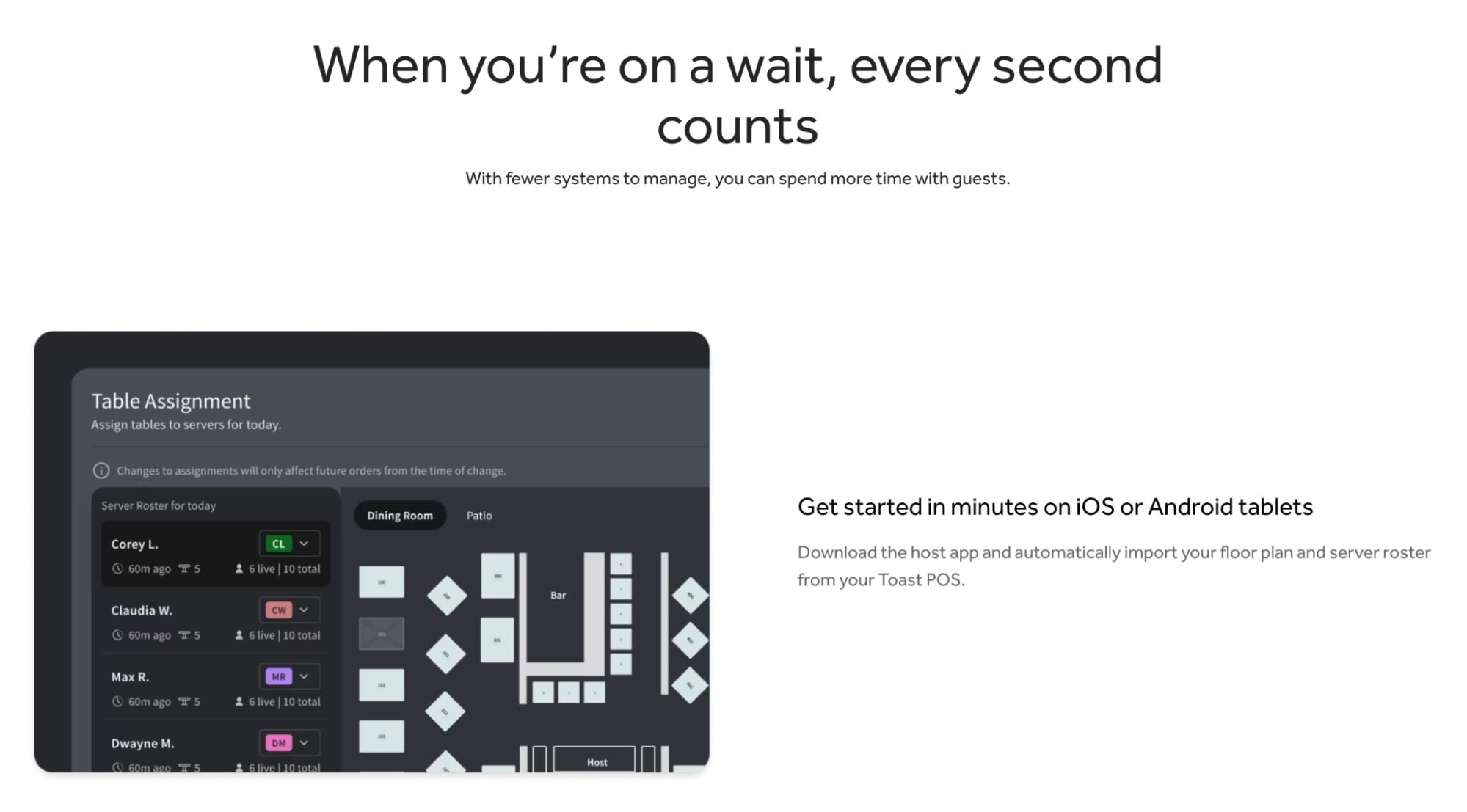
Toast Tables is Toast's reservations, waitlist and table-management add-on, sold separately in two tiers to Toast customers rather than bundled into the POS. For a restaurant already on Toast, that's the reason to choose it: no integration project to schedule, and no floor data stranded where your POS can't see it.
Features:
- Live floor plan: updates itself to show each table's progress, whether guests have ordered and whether the food is out.
- Synced server roster: tracks time since last seating, total covers and active covers, which keeps sections rotating fairly.
- Guest profiles: carry preferences, special occasions and VIP tagging.
- Waitlist: two-way messaging and automated notifications.
- Online booking: from your website, Google or the Local by Toast app, plus prepaid experiences like wine dinners.
Pros:
- Floor data and POS data live in the same system, with no integration to build.
- The server roster keeps section rotation honest, which your servers will notice before you do.
Cons:
- You can't buy it without Toast POS, which makes it a stack decision as much as a floor decision.
- The product page makes no AI or live seating-optimization claim.
3. TouchBistro, best for full-service restaurants on TouchBistro POS
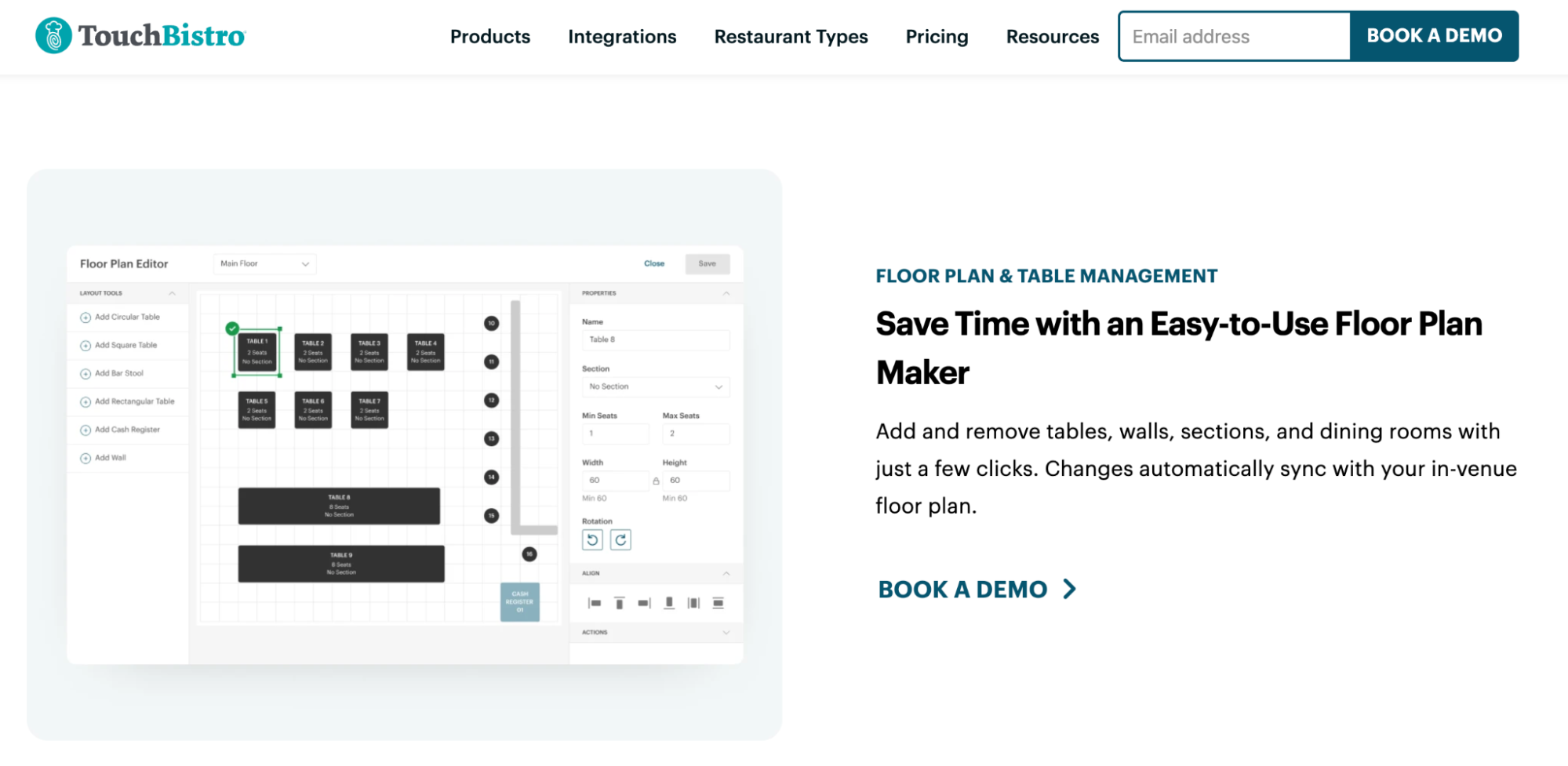
Built as an iPad POS for full-service restaurants, TouchBistro carries floor plan and table management as core features of the product. Rooms that want one vendor, one bill and one support line tend to land here for that reason.
Features:
- Floor plan editing: add or remove tables, walls, sections and dining rooms in a few clicks, with changes syncing to the in-venue plan automatically.
- Live spend tracking: active tables and total spend sit in the POS itself, giving a manager the state of the room at a glance.
- Table transfers: move a party to another table without interrupting service or losing the bill.
- Reservations integration: TouchBistro Reservations is a paid add-on that allows expected guests to be assigned at the best available tables.
Pros:
- One vendor covers the POS and the floor, which keeps support simple.
- Floor plan changes are quick and visual, with no technical setup behind them.
Cons:
- The floor tools only come with TouchBistro POS.
- TouchBistro’s floor plan and table management page carries no AI or optimization claim for table assignment. The tools are visual and manual by design, which some operators prefer and some outgrow.
4. OpenTable, best for reservation network reach
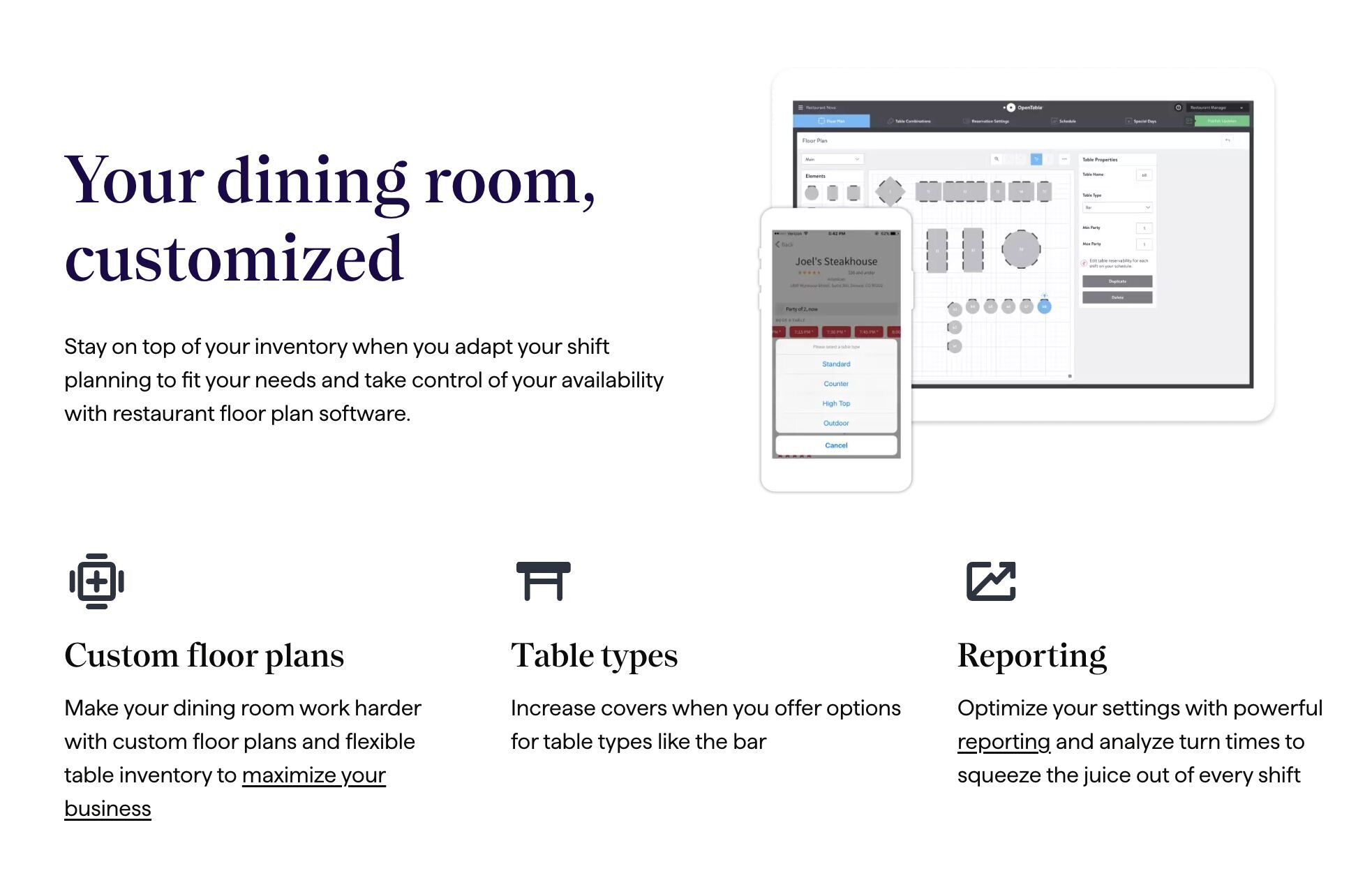
OpenTable for Restaurants covers table and floor management from the same login as the booking book. What sets this software apart is what sits behind that floor tool: the largest diner marketplace in the US.
For a room leaning on OpenTable discovery to fill mid-week covers, that reach is the reason to buy. Our SevenRooms and OpenTable comparison examines the two platforms side by side on guest data, marketing and fees.
Features:
- GuestCenter floor management: table and floor management run from the same login as the booking network.
- Waitlist: wait-time estimates for walk-ins and an automated text when the table is ready.
- Table assignment suggestions: the system recommends where to seat a party, while the POS keeps table availability up to date.
- Shift reporting: turn-time analysis, shift overview and revenue in one view.
- Marketplace access: the OpenTable diner network, for discovery and mid-week covers.
- Booking protection: card holds and cancellation policies applied to reservations.
Pros:
- The largest diner network in the US, which is reach no floor tool can replicate on its own.
- One login covers the floor and the marketplace, leaving the host stand one system to learn.
Cons:
- OpenTable's updated client agreement requires restaurants to make it the system of record for reservations, table and guest management, and to make all inventory available on its marketplace, as reported by Restaurant Business.
- Cover fees can apply on top of the subscription, a cost model the other tools on this list don't carry.
- OpenTable’s most comprehensive guest profiles are only available on its top tier, so the amount of guest history your team can access depends on what you pay.
5. Resy, best for upscale reservation-first dining rooms
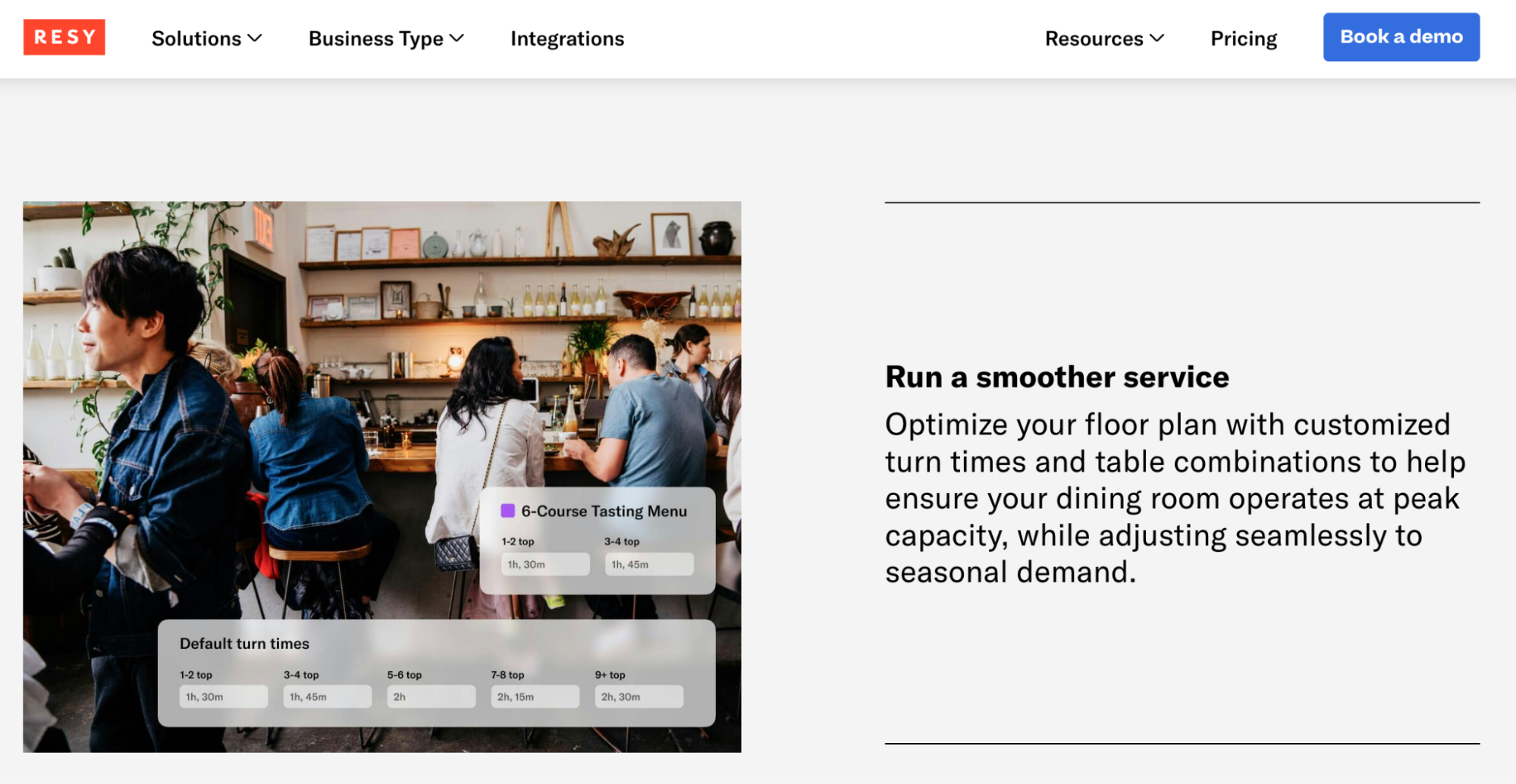
Resy is a reservation platform for restaurants, and ResyOS is what its host stands run on. It's built for reservation-led fine dining, and the floor tools follow: turn times, table combinations and pacing are set by the operator around a menu and a service style, then applied the same way nightly.
Features:
- Guest profiles: notes, tags, visit history and spend.
- Walk-in waitlist: sits alongside the reservation book.
- Booking protection: automated confirmations and reminders, card holds, deposits and prepayment.
- Notify: turns cancellations into covers by alerting guests who wanted the slot.
- Smart optimization: Resy says it optimizes table combinations, turn times and party sizes, with pacing controls and table reconfiguration to maximize the floor plan.
Pros:
- Built around the way a fixed-seating fine dining room already runs, with prepayment, deposits and card holds in the core product.
- Resy states that restaurants keep ownership of their guest data.
Cons:
- Resy’s optimization works from the settings you configure, including turn times and pacing controls. The results depend on how accurately those settings reflect the way your restaurant operates.
- It suits a room with a fixed layout and set seatings. A floor that rearranges nightly or one that runs mostly on walk-ins gets less out of it.
6. Yelp Guest Manager, best for walk-in-heavy, reservation-light restaurants
In practice, Yelp Guest Manager suits rooms where the line matters more than the reservation book. The waitlist leads and booking is the secondary feature, which suits restaurants that see far more walk-ins than table reservations.
Features:
- Wait-time quotes: accurate up to 92% of the time, per Yelp's own figure.
- Guest messaging: two-way texting and a guest check-in kiosk.
- Greet and seat: from a single iPad, using custom floor maps and seating policies you set.
- Bookings and waitlist together: one view, with credit card holds and automated alerts to cut no-shows.
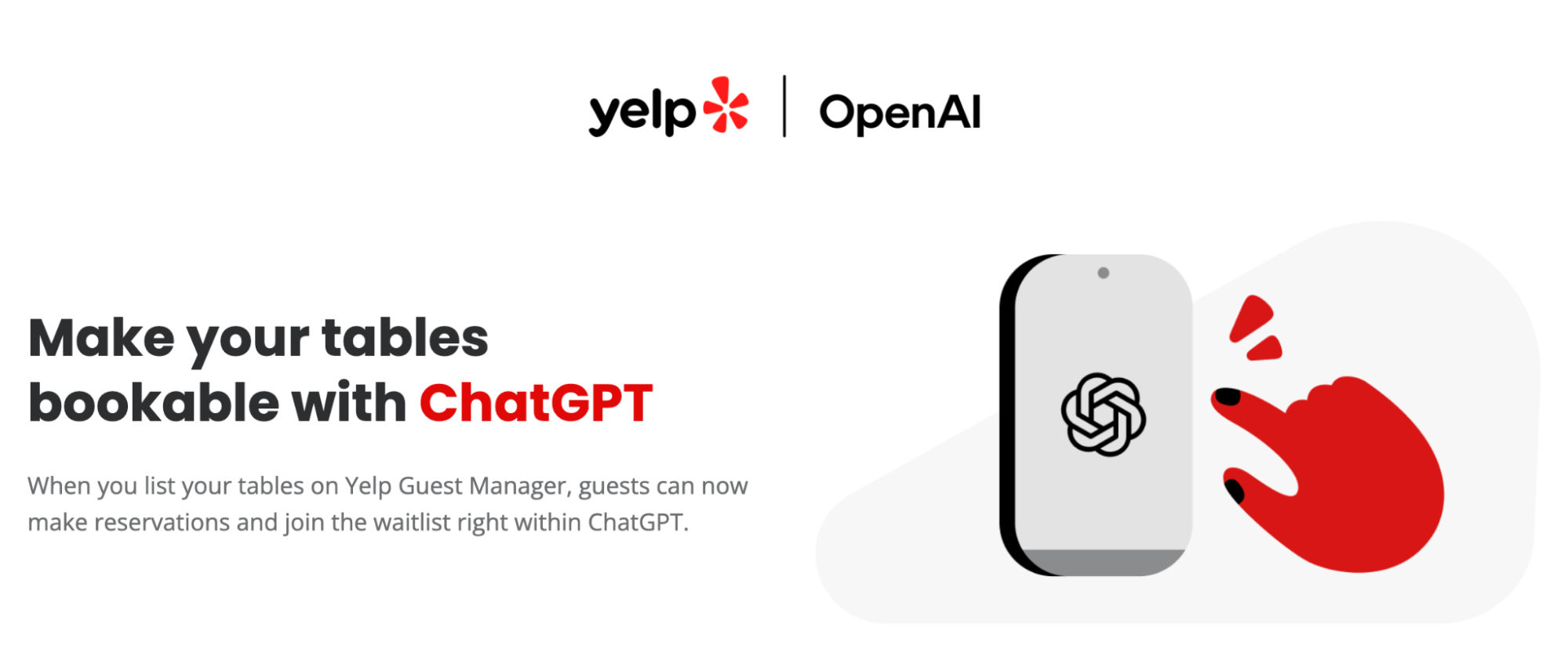
- New booking surfaces: guests can book a table or join the waitlist from inside ChatGPT.
Pros:
- Accurate wait quotes, which decide whether a guest waits or walks to the place next door.
- The kiosk and the texting take pressure off your host during a rush.
Cons:
- Guest profiles sit on the Plus plan rather than the entry tier, and the guestbook is thinner on spend and preference history than a CRM-first system.
- Yelp's AI goes to wait-time and availability prediction, not to scoring the seating decision itself.
Why faster tables only pay off when you know who is sitting at them
Faster tables pay you twice: more covers in the same shift and a guest who books again. The first payoff is arithmetic. Cut the average turn time and the same room seats more parties across the same shift, with the same host and servers on the schedule. That’s a direct line to the P&L that a feature-by-feature comparison will never show you.
Labor is the other half of that return. In a TD Bank survey of 253 restaurant franchise leaders reported by Nation's Restaurant News, 54% named a shrinking labor pool as their biggest challenge in attracting and retaining talent heading into 2026. Software that helps the team you already have is the practical answer to that, and the seating chart is where it has an impact.
Recognition is what makes the real difference. A table turnaround in nine minutes instead of twelve earns you more when the guest sitting down at it is recognized, because that is what brings them back in a month.
"We're able to remember the little things, like someone's favorite table, their go-to cocktail, or if they're celebrating something special. That kind of detail makes people feel seen." Larry Poston, Hospitality Director at The h.wood Group
A restaurant CRM pulls reservation, waitlist and POS data into one profile per guest, so visit history stops living in whichever tool recorded it. That same data later powers the loyalty and perks built around what a guest already told you they like.
In SevenRooms, that record opens on the host's screen at check-in with allergies, preferences and past notes already attached. This comes from a guest profile you can read at the door and a seating tool that respects it.
Transform Your Guest Experience with SevenRooms
A table management software that remembers your guests
Efficiency is the entry price on this list, not the differentiator. The software to pay for should turn tables faster but also know who's sitting at them, so every seat you fill builds toward a guest who comes back rather than a cover cleared for the night.
SevenRooms does that by running the seating algorithm and the guest profile as one record. Your host gets the answer to the seating puzzle and the history of the person in front of them at the same moment, on the same screen. 65+ POS integrations keep that history current, and the same profiles feed the emails and perks that bring the guest back.
Two jobs happen at your host stand. See what it looks like when one system does both.
Note: All feature claims above are based on the vendor’s own product pages or named reporting and were fact-checked at the time of publication. Features and details are subject to change.
Best table management software FAQs
What is the best table management software for restaurants?
SevenRooms is the strongest pick for restaurants that want live seating optimization and guest history in one system. Toast Tables fits a restaurant already on Toast POS, TouchBistro suits full-service rooms on TouchBistro POS, OpenTable delivers the largest diner network, Resy fits upscale booking-led rooms and Yelp Guest Manager is built for walk-in-heavy floors. Our restaurant reservation system comparison covers the booking side of the same decision.
What's the difference between table management software and a POS system?
A POS processes the transaction. Table management runs the floor: seating, table turnover, waitlist and the timing between them. Toast Tables and TouchBistro bundle both, since each is an extension of its own POS. Other restaurant reservation software runs table management independently and connects to whichever POS you use through a POS integration.
Does AI table management replace the need for an experienced host?
No. The software optimizes the seating math, the part that gets harder as the room fills. Every judgment call that involves reading a room stays with your host: whether a regular gets their usual table, whether to hold one for a large party running late, whether a table needs a few extra minutes.
How much does restaurant table management software cost?
Costs vary depending on whether the tool is bundled into a POS subscription you already pay for or sold as its own platform, and on whether cover fees apply on top. Ask every vendor to quote the total cost per cover, not the monthly license, so you're comparing the same number.
Can table management software help a restaurant that doesn't take reservations?
Yes. A walk-in-only room still gains from waitlist automation, accurate wait quotes and real-time floor visibility, and guests get automated notifications when their table is ready. The booking calendar is one feature of restaurant technology in this category, and plenty of rooms never use it.

